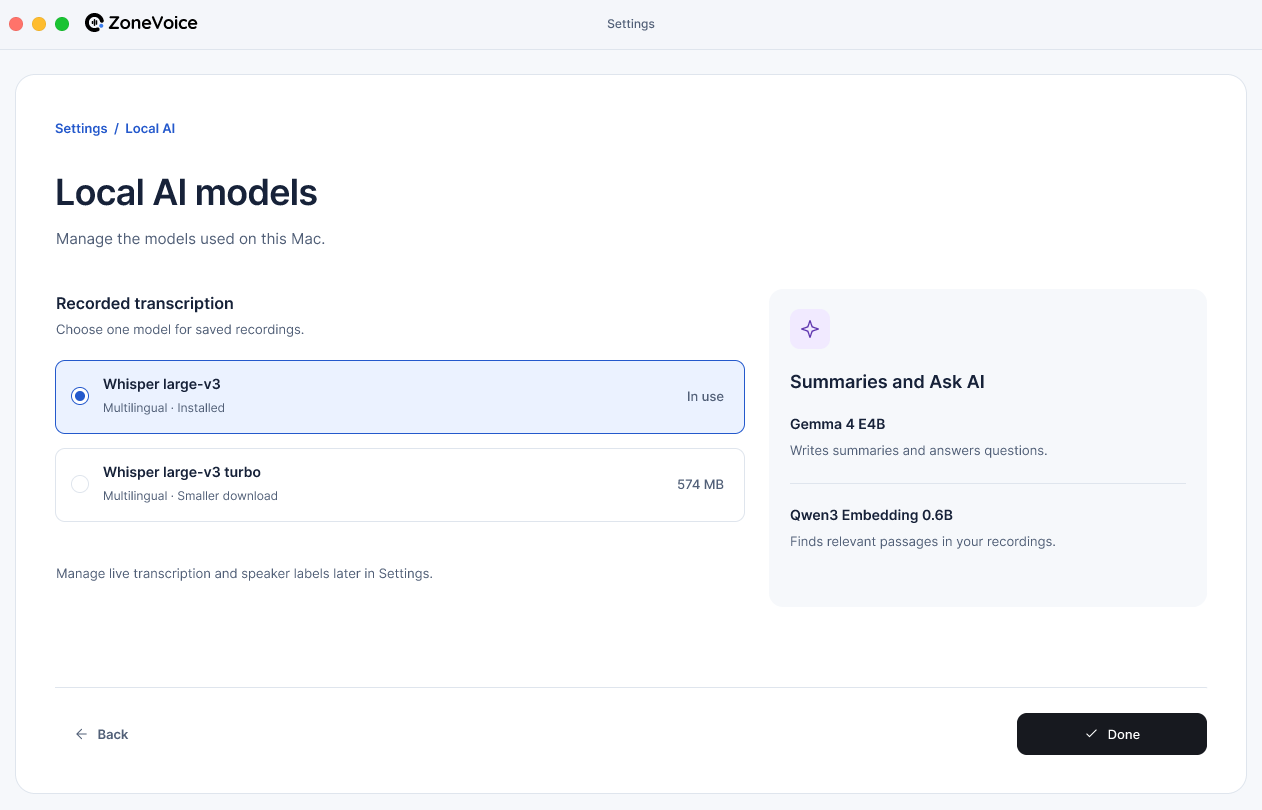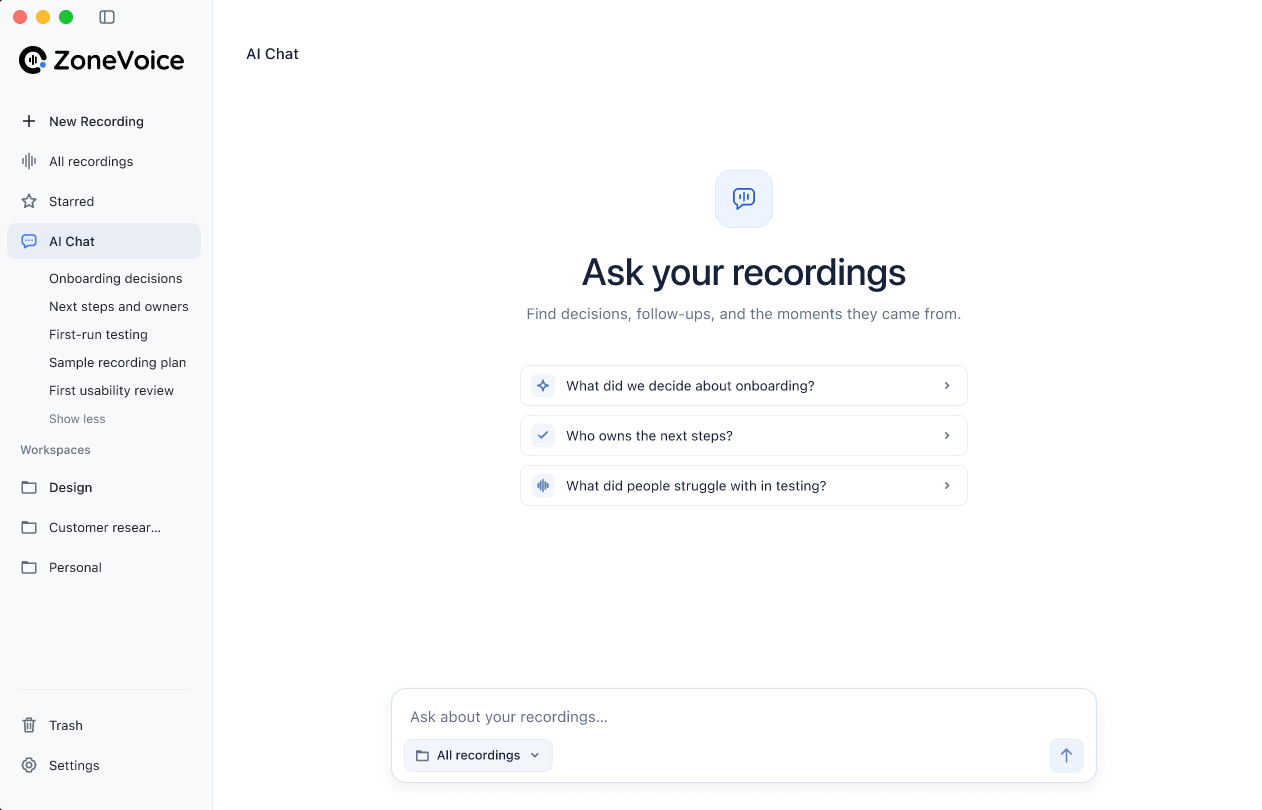
Both ZoneVoice and Meetily support local transcription and give users control over their recordings, but they take different approaches. Meetily is an open-source, local meeting recorder built around transparency, customization, and offline processing. ZoneVoice combines local AI processing with built-in AI Chat, helping you search and analyze recordings and turn conversations into lasting, searchable knowledge.
Which Tool Is Right for You?
Choose ZoneVoice if...
You want privacy to come first and your data to stay under your control. In local mode, recordings, transcripts, and notes stay on your device—you decide what to keep, export, or share. Use built-in AI Chat to explore your knowledge, with optional MCP access for external AI assistants.
Choose Meetily if...
You want an open-source meeting recorder you can inspect and customize. Meetily offers a free MIT-licensed Community Edition, with on-device transcription and offline support through local models.
How Does ZoneVoice Use AI Chat?
Ask & Find
- Ask questions naturally, without remembering specific keywords.
- Find answers across multiple recordings and files.
- Trace answers back to original transcripts and timestamps.
Analyze
- Compare perspectives and feedback across meetings or interviews.
- Identify recurring themes, needs, and concerns.
- Analyze disagreements, underlying reasons, and changes in decisions.
Create
- Generate structured meeting notes with key decisions and action items.
- Create project updates and customer feedback summaries.
- Draft follow-up emails and messages based on recordings.
Beyond AI chat: In-Person Conversations, Familiar Voice Recognition
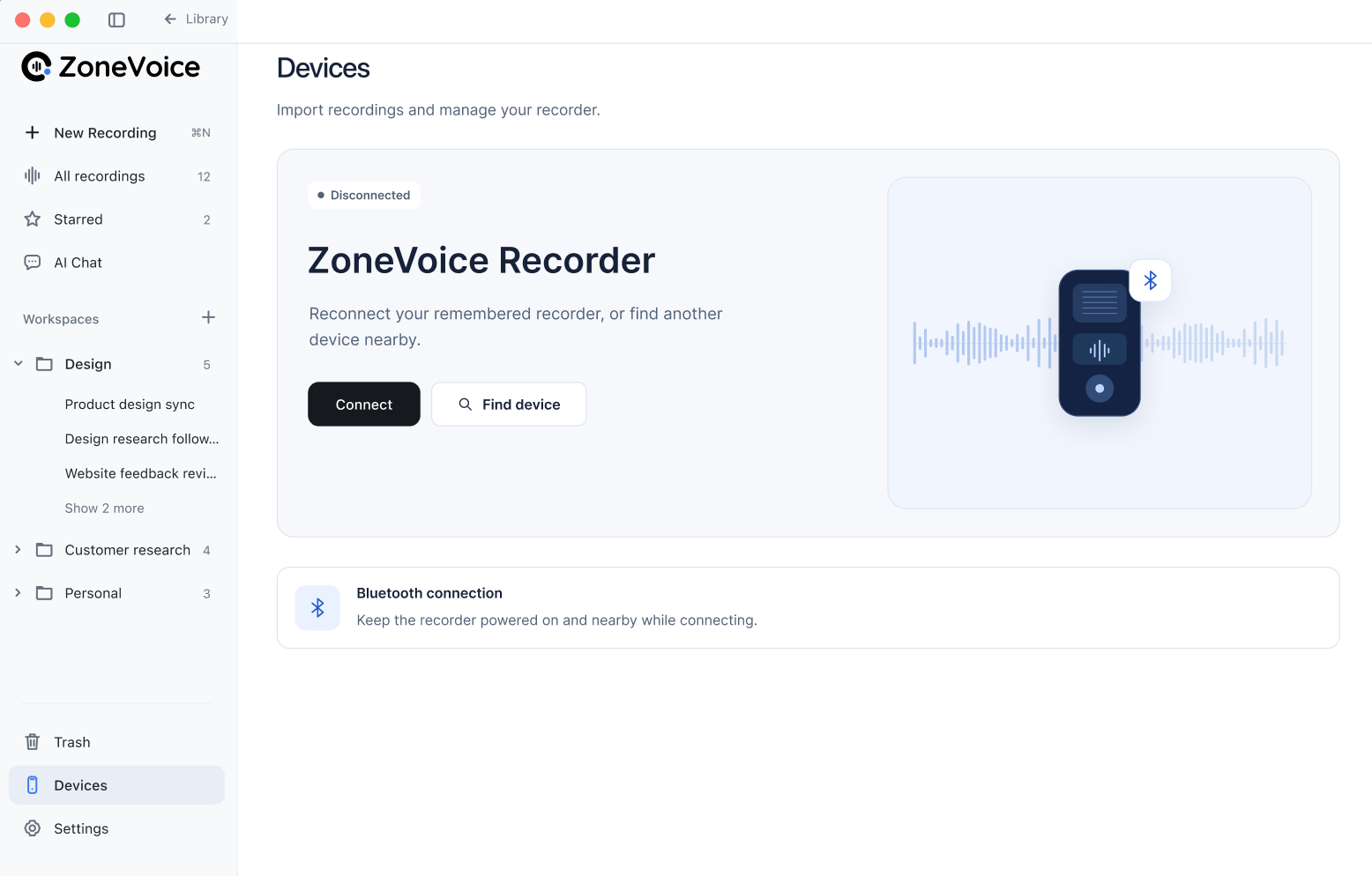
Can I capture conversations beyond live online meetings?
ZoneVoice — Pair with EverVoice to record in-person meetings, interviews, and everyday conversations. Import recordings into ZoneVoice for transcription, summarization and AI Chat queries.
Meetily — Focuses on recording and transcribing meetings on your computer. It supports live capture and imported files, but does not extend in-person capture through a dedicated recorder ecosystem.
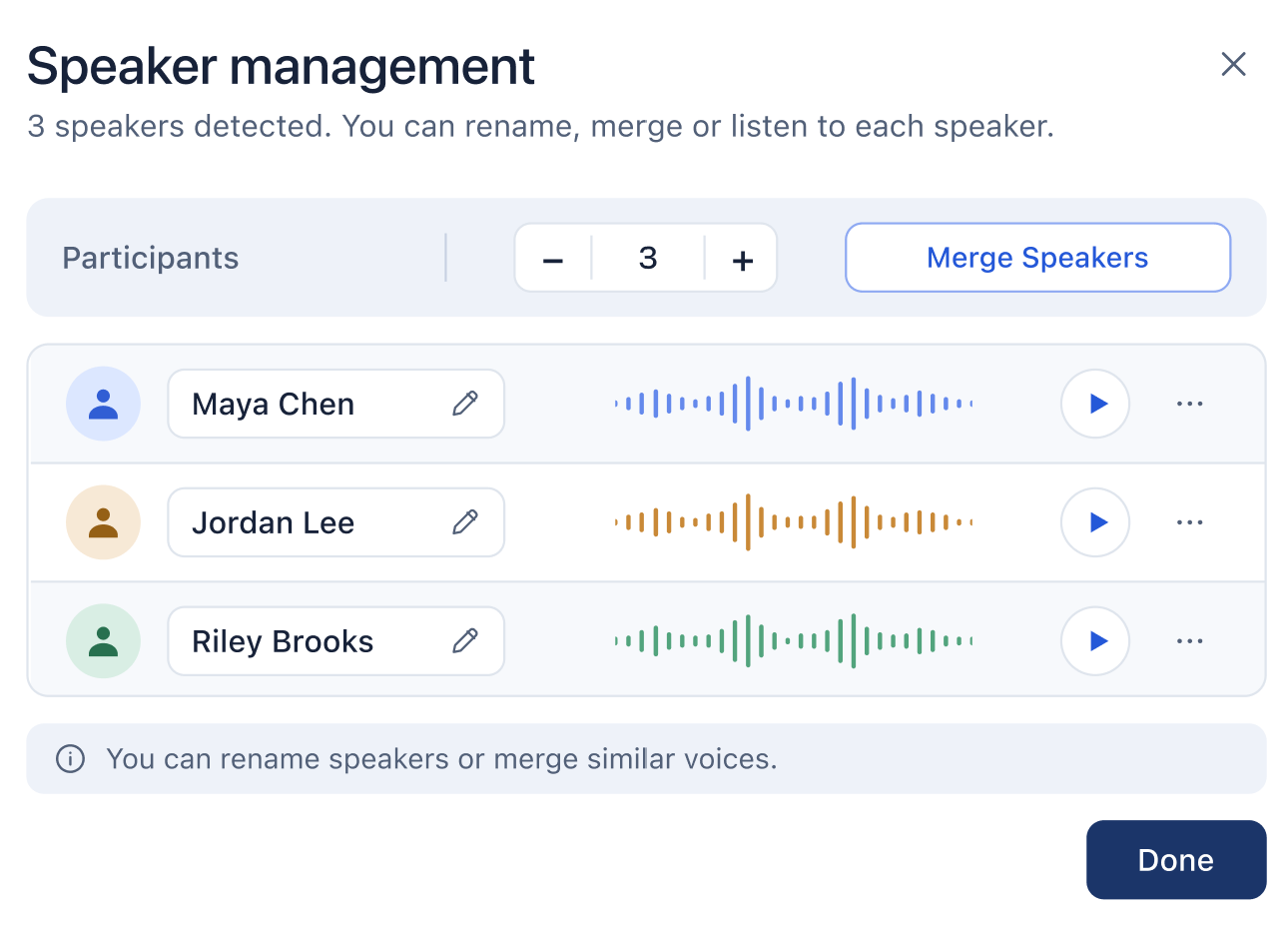
Can it recognize familiar speakers across recordings?
ZoneVoice — Builds a local voiceprint library so familiar speakers can be recognized across recordings, reducing repeated labeling and making ongoing discussions easier to follow.
Meetily — Supports speaker labeling and correction, but currently focuses on identifying speakers within meetings rather than recognizing familiar voices across recordings.
How the features stack up
| Feature | ZoneVoice | Meetily |
|---|---|---|
| Rich Text & Mind Maps | Combines summaries, key points, and action items in rich-text notes, with mind maps to visualize content structure and topic relationships. | Offers structured summaries and custom templates with headings, lists, and tables. |
| Audio & Video Playback | Syncs transcripts with audio and video playback for reviewing lessons, demos, and key moments. | Extracts audio from imported videos for transcription, with timestamped playback but no in-app video playback. |
| Export Formats | Exports Markdown, TXT, SRT, JSON, and original audio for notes, subtitles, and data reuse. | Exports Markdown, DOCX, PDF, and TXT. The Pro API supports JSON and other formats. |
| MCP & API Access | Offers MCP and external interfaces to connect AI assistants and workflows. ZoneVoice MCP guide | Pro provides MCP, CLI, local API, and webhooks for AI assistants and automation. |
| Privacy & Secure Export | Supports redaction and editable export copies to hide names, contact details, amounts, and other sensitive data before sharing. | Supports content editing, search and replace, and standard document exports. |
How does ZoneVoice change the way you work?
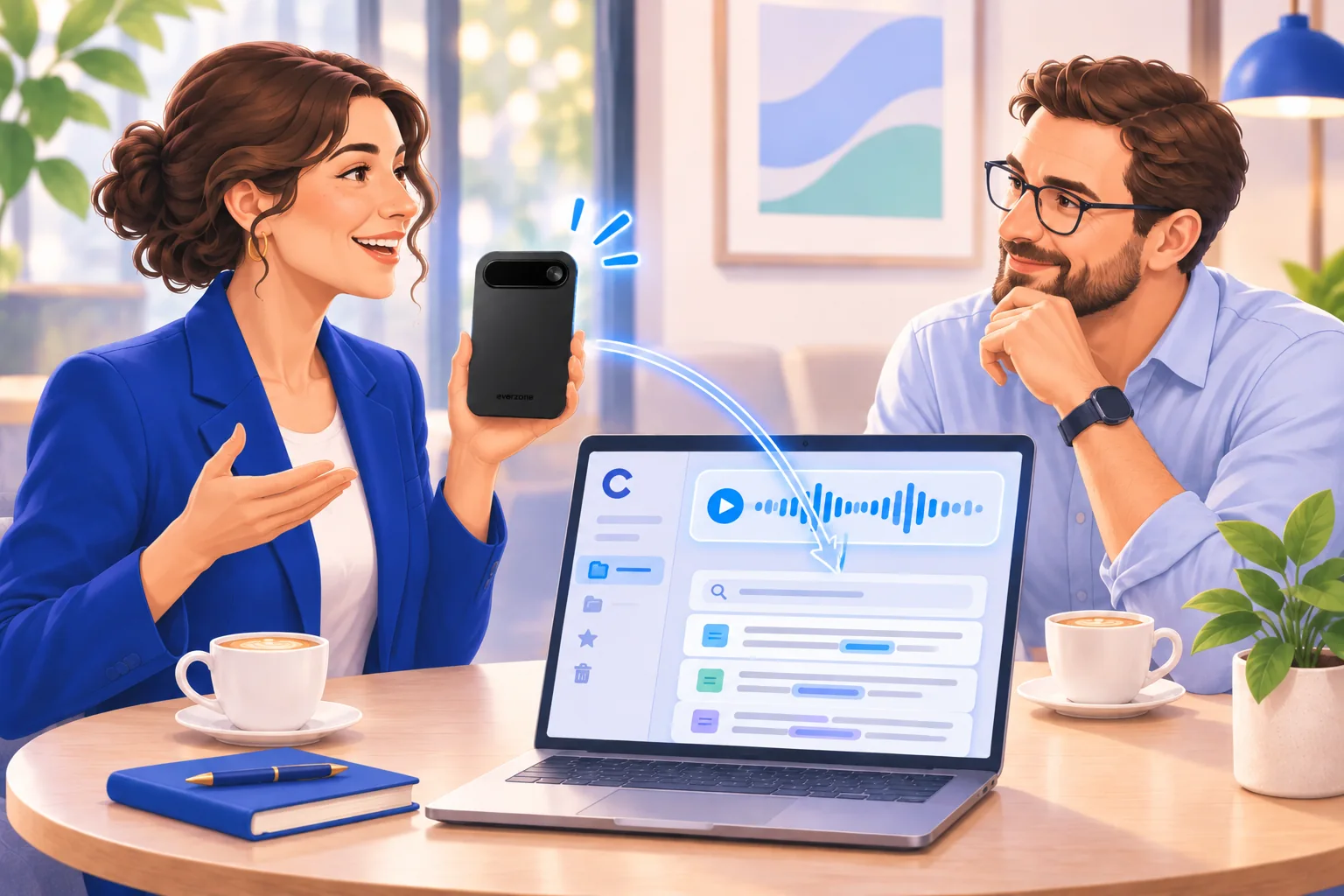
In-Person Conversations
Capture Conversations Wherever They Happen.
Pair ZoneVoice with EverVoice to capture in-person conversations wherever they happen. Bring those recordings into ZoneVoice and turn them into searchable notes.

Group Discussions
Make Sense of Different Perspectives.
Build a local library of familiar voices and match speakers across recordings, making it easier to follow ongoing discussions.

External Sharing
Share Only What Is Needed.
Prepare key points from local material and redact names, contact details, amounts, or other sensitive information before exporting a version for others.

Growing Meeting Library
Make Every Conversation More Valuable.
Use built-in AI Chat to find information across recordings, connect related discussions, and turn scattered conversations into useful knowledge.
Get Started with ZoneVoice in 3 Simple Steps
Get Access and Set Up
Request access to the ZoneVoice website, install the app, and download the required local AI models.
Record or Import
Record a conversation directly in ZoneVoice or import existing audio and video files. Generate transcripts and AI summaries to turn your recordings into organized notes.
Chat with Your Recordings
Ask questions in natural language, find key details across your recordings, and get answers with references to the original transcripts.