
Download the sample
Sample data · Two speakers discuss a design review and engineering work. Download the WAV (0.8 MB), read the reference text and review notes, and compare the Markdown notes.
1. Prepare the app and models while online
ZoneVoice is an invitation-based preview. Request early access and use the preview build supplied for your platform. In Settings → Local models, install the transcription and notes models, then verify their status. Install speaker models too if you want speaker separation.
- Whisper small: transcription.
- Gemma 4 E4B: summaries, tasks, and mind maps.
- Speaker diarization: optional separation of voices within the file.
Wait until the required models show Ready before going offline. Model and runtime downloads require connectivity; the imported audio does not need to be uploaded. The desktop package manages its native dependencies, so this workflow does not require you to install Python, FFmpeg, Ollama, or Docker.
2. Import the recording and process locally
Open a workspace, select Add recording → Choose file, and choose the sample WAV. Keep Process with local models on. Expand Processing settings to check language, template, and Identify speakers, then choose Import and process.
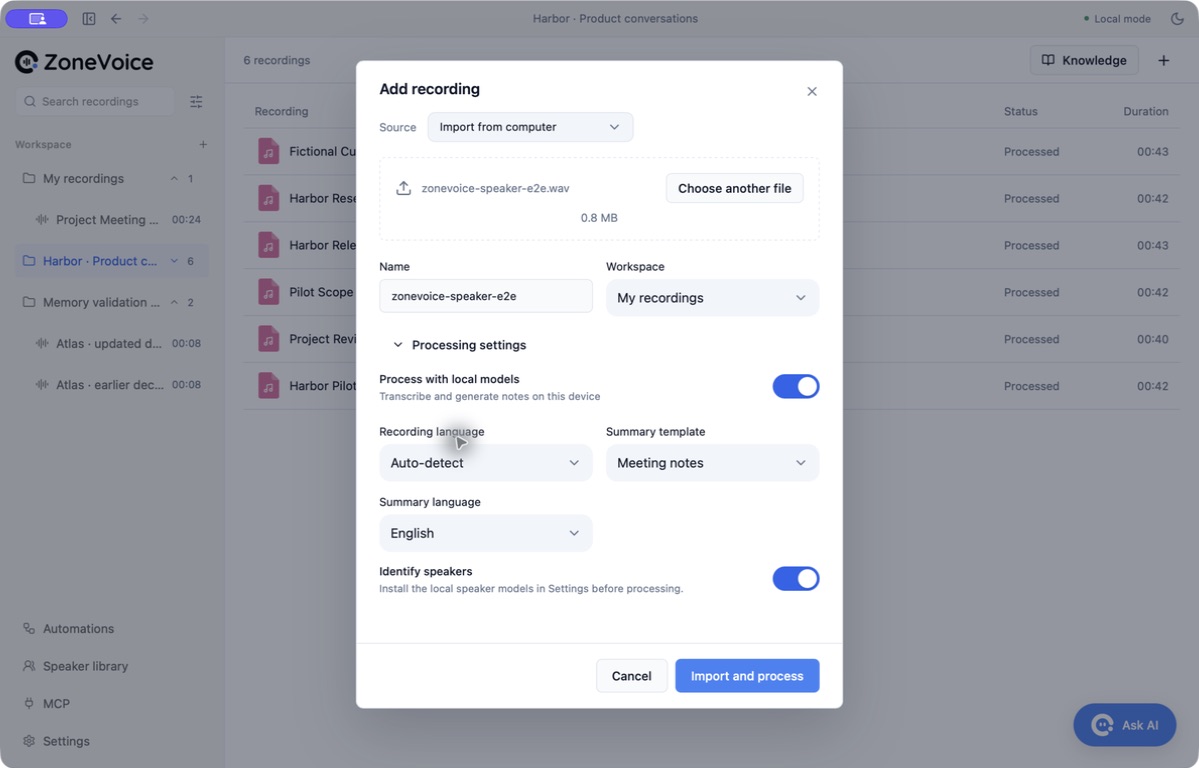
Once the required models show Ready, you can disconnect from the network and process the file.
3. Check the transcript and speaker groups
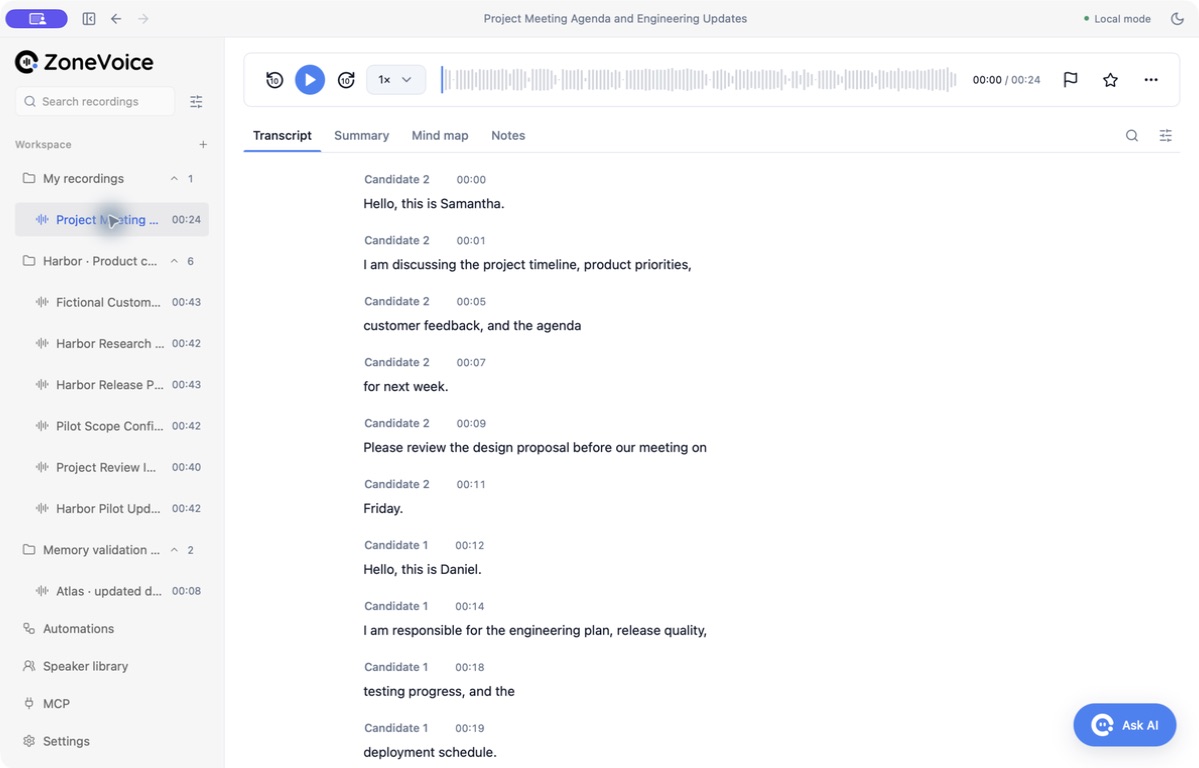
The run produced 12 timestamped segments and two speaker groups. The voices remained Candidate 1 and Candidate 2: a temporary group is not a confirmed person’s identity. Check names against the audio before confirming them.
4. Check the summary against the surrounding words
The notes included two key points, two tasks, two chapters, and a mind map. The two tasks retained Friday and Monday. Both owners are marked Not specified. Check the surrounding transcript before assigning either task.
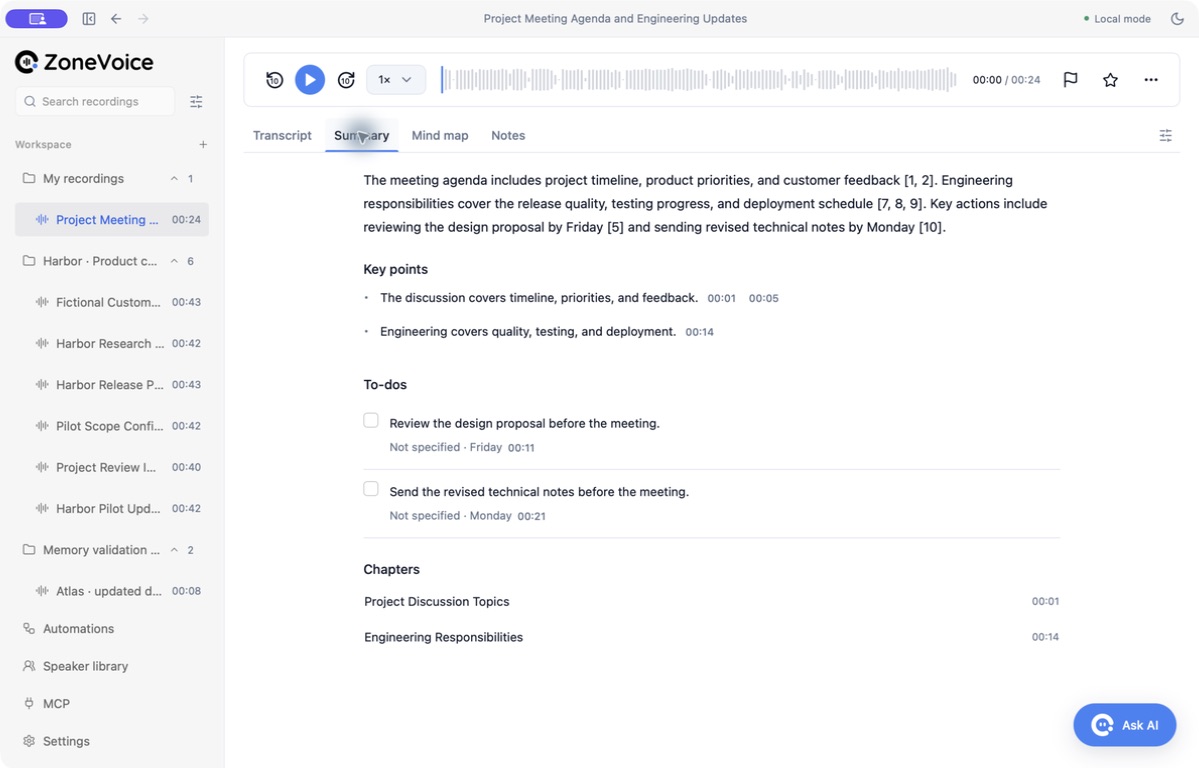
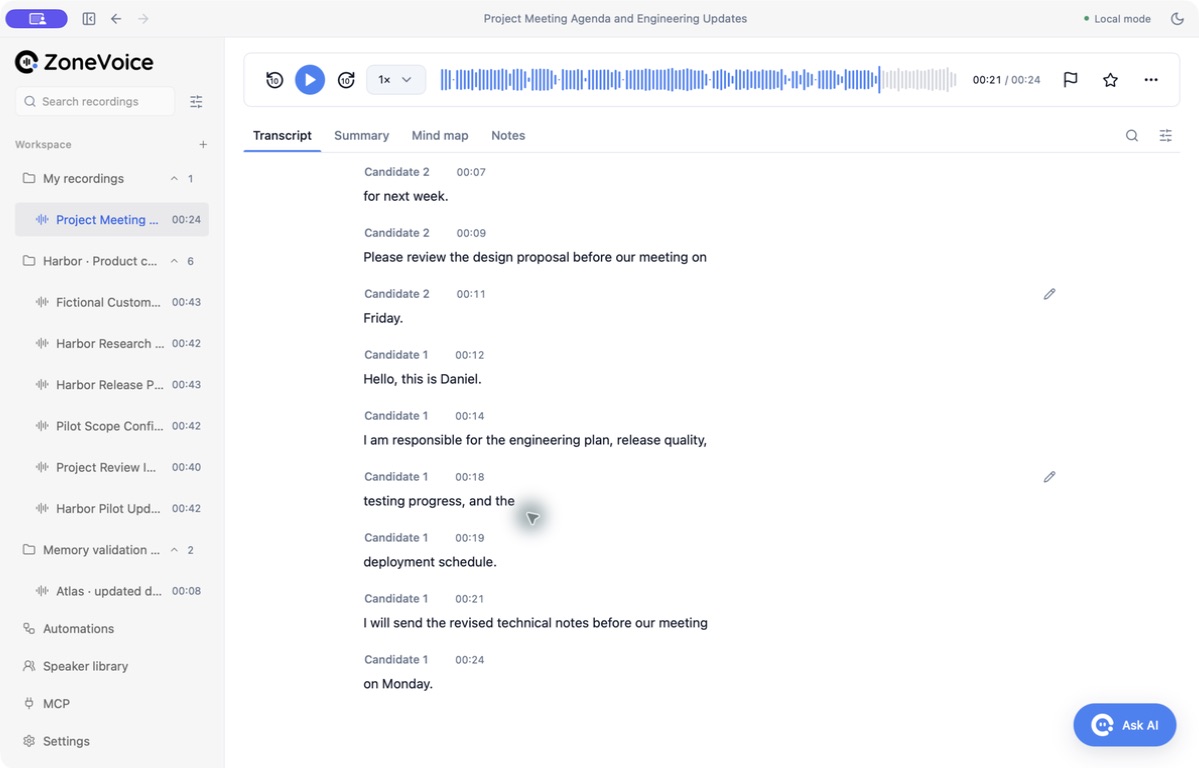
Clicking the technical-notes task’s citation opened the transcript and moved the player to 00:21. Its “Monday” deadline appears in the following segment at 00:24. The Friday task’s citation points only to the deadline word at 00:11; the preceding segment contains the task itself. Read or replay the surrounding passage, not just the linked word.
5. Export and inspect the same result
Open the recording’s actions menu and choose Export → Complete notes · Markdown. Save the file, then inspect its summary, tasks, chapters, mind map, and timestamped transcript. The downloadable result here includes the summary, tasks, and transcript shown above.
Other export options include transcript text, SRT subtitles, mind-map Markdown, JSON backup data, and the original recording. Exporting to a cloud-synced folder lets that folder’s service upload the file.
Use the notes across recordings
Continue with the meeting knowledge base guide to track decisions across interviews, or see how MCP gives an AI client access to saved notes.
How this offline example was checked
The sample uses synthetic voices. It was processed in ZoneVoice 0.1.0 on an Apple silicon Mac with the required models already installed. External network access was blocked for the app and its model processes; local connections between those processes remained available. Transcription, speaker separation, notes, and Markdown export completed.
This check covers file processing after model setup, not a new installation or transcription accuracy on real meetings. The run details include model information and file hashes. The downloadable Markdown is the unedited app export.